Level Up Your Party with a Video Game Birthday Invite
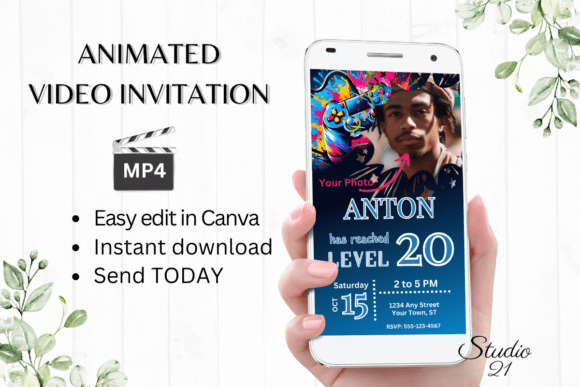
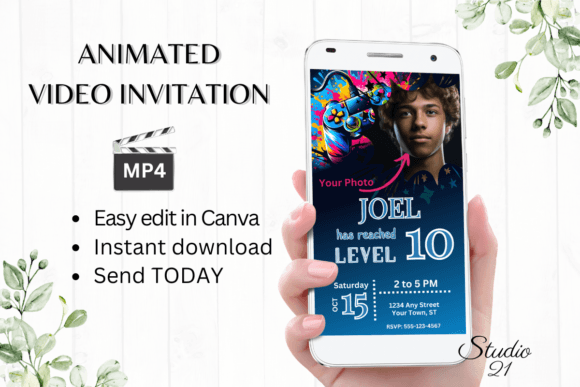
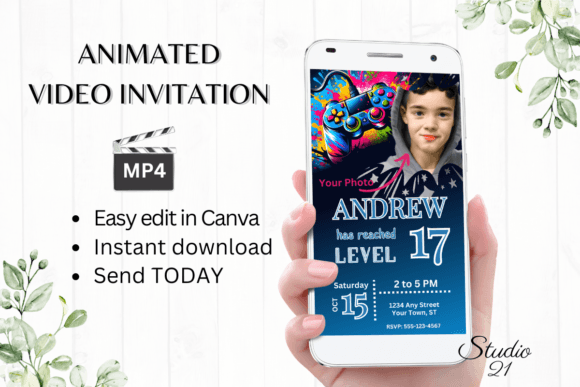
Organizing a birthday party for a teen, especially one immersed in the world of gaming, requires an invitation that sets the tone immediately. You need something that feels interactive, modern, and unmistakably "gamer." The Video Game Birthday Invite - Gamer 17 digital animated template is designed specifically to bridge the gap between a static paper card and the dynamic digital world your guest of honor inhabits. This isn't just a piece of paper; it is a 1080x1920 pixel MP4 file, perfectly formatted for mobile screens where most of your guests will view it.
Visually, this template captures the essence of modern gaming aesthetics without infringing on specific intellectual property. It typically features bold, neon-tinged typography, dark backgrounds that mimic the ambiance of a gaming room, and animated elements that simulate loading screens or achievement unlocks. The style is high-energy and sleek, appealing to the "Gamer 17" demographic who values cool, digital-first experiences over traditional mail. It feels less like an obligation to attend and more like a quest notification.
The Practicality of the Animated Evite
As a designer or content creator, you understand that the medium is the message. Sending a static image via text often gets lost in the shuffle, but a short, looping video animation demands attention. The Video Game Birthday Invite - Gamer 17 utilizes this by offering immediate engagement. Because the deliverable is an MP4 file, it functions seamlessly across platforms like WhatsApp, iMessage, Messenger, and Instagram DMs. There is no friction for the recipient; they don't need to click a link to a website or download a specific app to view the animation.
From a production standpoint, this template solves the "software barrier." You do not need After Effects or Premiere Pro skills to edit this. By leveraging Canva’s free tier, you can access the template immediately. This is a massive advantage for parents, event planners, or even marketing professionals organizing a themed corporate event. The workflow is straightforward: click the link, edit the text fields, adjust the animations if desired, and download. This "no-proof" workflow eliminates the back-and-forth delays common with custom graphic design services.
Customization and Brand Consistency
While the template comes with a pre-set visual identity, the editing options allow for significant personalization. You can alter the font style, color, and size to match the specific "brand" of the party. If the birthday teen has a favorite color scheme or a specific gamertag that requires a unique visual treatment, you can easily adjust the text effects and animation timing. This level of control is crucial for maintaining visual hierarchy; you want the name and the date to be the most readable elements, even amidst the moving graphics.
For those using this for commercial purposes—perhaps a gaming lounge owner or a party planning business—the ability to clone and edit this template repeatedly is valuable. You can create a consistent look for a series of events. However, it is important to remember that while the design is premium, it is a digital asset. The colors may render differently on an iPhone compared to an Android device due to screen calibration, a standard consideration in digital design. Therefore, keeping high-contrast text (like white or bright yellow on dark backgrounds) ensures readability across all devices.
Strategic Applications Beyond the Birthday
While labeled for a 17th birthday, the visual language of the Video Game Birthday Invite - Gamer 17 is versatile. It fits perfectly into the aesthetic of eSports tournaments, LAN parties, or launch events for indie game developers. The "Gamer" style—often characterized by sans-serif fonts with geometric shapes, glitch effects, and neon glows—is a recognized sub-genre of modern typography. It signals tech-savviness and excitement.
When evaluating if this template fits your project, consider the personality of the event. If the vibe is casual, chaotic fun, the animated elements add the necessary energy. If the event is more formal, the ability to change the font to a cleaner sans-serif within Canva allows you to dial back the "arcade" feel to something more "tech-conference." This flexibility makes the asset more than a one-time use item; it is a foundational design asset for anyone frequently hosting digital-centric gatherings.
Finalizing Your Design Workflow
The process of finalizing your invitation involves a few key checks. First, ensure your text hierarchy is solid. The event title should be the focal point, followed by the date and time, and finally the location or RSVP details. Second, test the animation speed. Does the text stay on screen long enough for a viewer to read it comfortably? Canva allows you to adjust the timing of pages and elements, so take a moment to preview the video before downloading.
Finally, consider the distribution method. Since you receive a high-quality MP4, file size might be a factor for email. For email distribution, using the shareable Canva link is often more effective than attaching a large video file. For direct messaging, the MP4 is king. By treating this Video Game Birthday Invite - Gamer 17